 MAX FLASH IPTV – Panel Admin +YOUTUBE PREMIUM
# MAX FLASH IPTV – Panel Admin +YOUTUBE PREMIUM MAX FLASH IPTV – APPLICATION + ADMIN PANEL **LIVE TV** – Access to live television channels.
 **MOVIES** – A catalog of films and new releases. **SERIES** – Discover your favorite series.
 **EXTRAS** – Anime, content for kids, and documentaries.
 **SPORTS** – Upcoming matches and sporting competitions.
 **FAVORITES** – Quickly access your preferred content.
 **HISTORY** – Access your viewing history.
 **RECORDINGS** – A dedicated section for your recordings.
 **VPN** – VPN feature integrated directly into the app.
 **USER MANAGEMENT** – Manage users via the admin panel.
 **M3U ACTIVATIONS** – Handle activations and automated testing.
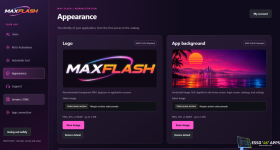
 **ADMIN PANEL** – Customize the logo, background, servers/DNS, and app login settings.
**
 MAX FLASH – MODERN DESIGN, IPTV APPLICATION, AND MANAGEMENT PANEL!**
Using an app like APK Editor or MT Manager, locate the `connection.json` file within the "assets" folder of the application, and update the token—generated via your panel—in the connection section.
Last edited: