Welcome to ESSO '4K' APPS

Join us now to get access to all our features. Once registered and logged in, you will be able to create topics, post replies to existing threads, give reputation to your fellow members, get your own private messenger, and so, so much more. It's also quick and totally free, so what are you waiting for?

Forum Rules

Please : Read and Ask questions and to avoid getting banned!

Advertising

Don't miss the opportunity to make yourself known to the world.

Account upgrade

Upgrade your account to unlock premium ibo resources!
ibo-reseller-v5 !
✨ New reseller IBO Player panel with automatic testing, DNS, username and password. You can schedule activation days and create a section for activating reseller MAC addresses. Each reseller has access to the panel with their login credentials. Multi-DNS panel. Be among the first to download it. ✨
It's free regardless of the VIP package: 1 week, 2 weeks or 1 month.
I'm taking advantage of the offer
Web page! Esso4k-IBOv2 Red . Take advantage of it →
LIMITED-TIME VIP PROMO — 1 MONTH Subscription at a reduced price! Special Offer: 2-WEEK VIP at a reduced price! ⚡ New price: 2-DAYS VIP cheaper! Click here to see the full offer
VIEW THE VIP OFFER
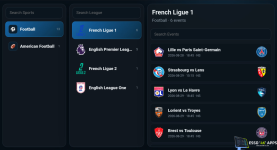
Tivimate 5.3.3 +Vpn + Sport guide login by Mac and QR

IPTV Panels Tivimate 5.3.3 +Vpn + Sport guide login by Mac and QR

Tivimate 5.3.3 +Vpn + Sport guide login by Mac and QR

instructions
How to MT Manager:
- Open the tivimate.apk with MT Manager.

Edit the Panel URL:
- Open classes21.dex with Dex Editor Plus.
- Expand com`and edit PanelURL.
- On line 22 change the URL to your host.
IMPORTANT :
Sign the edited apk:
- Add a new signing key before signing, because the app doesn't appear to work when signed with the default key, and sign with your new key.
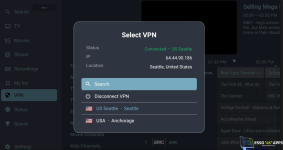
1787637750545.png
1787637934655.png

1787637702493.png


Acces panel : enzo
Password : 1234567890
 
Last edited:

Tivimate 5.3.3 +Vpn + Sport guide login by Mac and QR

instructions
How to MT Manager:
- Open the tivimate.apk with MT Manager.

Edit the Panel URL:
- Open classes21.dex with Dex Editor Plus.
- Expand com`and edit PanelURL.
- On line 22 change the URL to your host.
IMPORTANT :
Sign the edited apk:
- Add a new signing key before signing, because the app doesn't appear to work when signed with the default key, and sign with your new key.
1787637750545.png1787637934655.png
1787637702493.png


*** Hidden text: cannot be quoted. ***


Acces panel : enzo
Password : 1234567890


Forgive my ignorance, but what do you mean by "signing the APK"? I'm new to this. Thanks for any help you can provide.
 

Here is the configured and signed APK; you can test it and see how the application works.

 
Last edited:
That's how it stays.


tivimate533.jpg


The other version here on the forum works, but it has way too many bugs—like not being able to change colors in the app settings—and it freezes a lot on the channels.
When I use version 5.1.6, everything works fine.
 
@chupa
Which APK are you talking about? What I just posted works perfectly and shouldn't show you that image? The images that are displayed are those from the post.
 
@chupa
Which APK are you talking about? What I just posted works perfectly and shouldn't show you that image? The images that are displayed are those from the post.
That one is from the APK you just uploaded.
 
That's how it stays.


tivimate533.jpg


The other version here on the forum works, but it has way too many bugs—like not being able to change colors in the app settings—and it freezes a lot on the channels.
When I use version 5.1.6, everything works fine.
The APK I just published is linked to my panel and is properly configured; it works for me. Apparently, we don't have the same images. I don't know which application you're using to open this APK.
It's already configured; you just need to install it without doing anything else.
 
The APK I just published is linked to my panel and is properly configured; it works for me. Apparently, we don't have the same images. I don't know which application you're using to open this APK.
It's already configured; you just need to install it without doing anything else.
Okay, let me test it now that I've set my host.
 

Here is the configured and signed APK; you can test it and see how the application works.

*** Hidden text: cannot be quoted. ***
@chupa
If you install this APK, you should see this image and nothing else.
I didn't ask you to replace it with the link to your panel; I just wanted to show you that the APK works with the panel when it has been correctly signed.
1787768344874.png
 
@chupa
If you install this APK, you should see this image and nothing else.
I didn't ask you to replace it with the link to your panel; I just wanted to show you that the APK works with the panel when it has been correctly signed.
1787768344874.png
It works with your host,

but it stops working when I use my host.
 
@chupa
It works with your host,

but it stops working when I use my host.
Yes, the problem is with your hosting. I told you to configure the pH to 7.4, but you're probably using a pH higher than 7.4, which is why you're having this problem. I've already configured your APK and signed it using the link you sent me. I'm just waiting for you to confirm that your pH is 7.4, and then I'll send you the APK link to your control panel.
 
@chupa

Yes, the problem is with your hosting. I told you to configure the pH to 7.4, but you're probably using a pH higher than 7.4, which is why you're having this problem. I've already configured your APK and signed it using the link you sent me. I'm just waiting for you to confirm that your pH is 7.4, and then I'll send you the APK link to your control panel.


I've already put in the request to have PHP 7.4 installed; I'll let you know as soon as I get a reply.
 
@chupa
Listen, I'm sending you a pre-configured panel with pH 7.4 via the ticket you opened. Delete all the files from the other panel and paste just this one. Confirm that it's working. Then I'll open it with my password and re-enter your old password.
 
@chupa
Listen, I'm sending you a pre-configured panel with pH 7.4 via the ticket you opened. Delete all the files from the other panel and paste just this one. Confirm that it's working. Then I'll open it with my password and re-enter your old password.
done
1787769701097.png
 
Similar content Most view View more

Esso4kv2 AUTO-TEST !

Connect Free our PANEL .
and download our APK for free (registered members only).!

ASK QUESTION

shape1
shape2
shape3
shape4
shape5
shape6
Back
Top