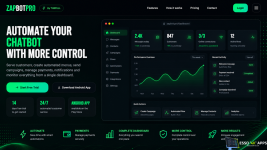
Zapbot Pro (Apk + Panel + video tutorial)
ZAPBOT INSTALLATION TUTORIAL ON UBUNTU VPSMINIMUM REQUIREMENTS
1 - VPS with Ubuntu 20.04
Recommended:
* Ubuntu 20.04
* Minimum 2GB of RAM
STEP 1 - INSTALL THE BOT
Take the zapbot.zip file and upload it to the /root folder of the VPS.
Then, run the following commands:
apt install unzip
unzip zapbot.zip
chmod +x install.sh
sudo bash install.sh
API Address: http://ip:3000/
This is the bot's address to put in the PHP panel.
STEP 2 - ACCESSING THE ADMIN AREA
After the panel is up, access the admin screen through your browser:
Replace "your-url" with the domain where you hosted the panel.
STEP 3 - LOG IN TO THE PANEL
Use the default access data:
Login: admin
Password: admin
 Automation & Workflows
 Automatically send payment reminders
 Create custom workflows
 Create custom customer service menus
 Create automatic IPTV tests
 Banners & Promotions
- Create movie banners
 Create soccer game banners
 Schedule banners automatically
 Send banners to groups
 Customer & Group Management
- Manage groups via the dashboard
 View your online customers directly from the dashboard
 Control customers, plans, messages, and mailings
 IPTV Features
 Use extra IPTV features
Last edited:

![Flix Vision 3.1.0r [RTX] APK AND PANEL](https://esso4k-tv.com/data/avatars/l/0/1.jpg)